Laptops: Types, Features, Benefits, and Complete Buying Guide
Introduction to Laptops
Laptops have become an essential part of modern life. They are widely used for education, office work, business, gaming, entertainment, programming, graphic design, and many other activities. Unlike desktop computers, laptops are portable devices that allow users to work, study, and access the internet from almost anywhere.
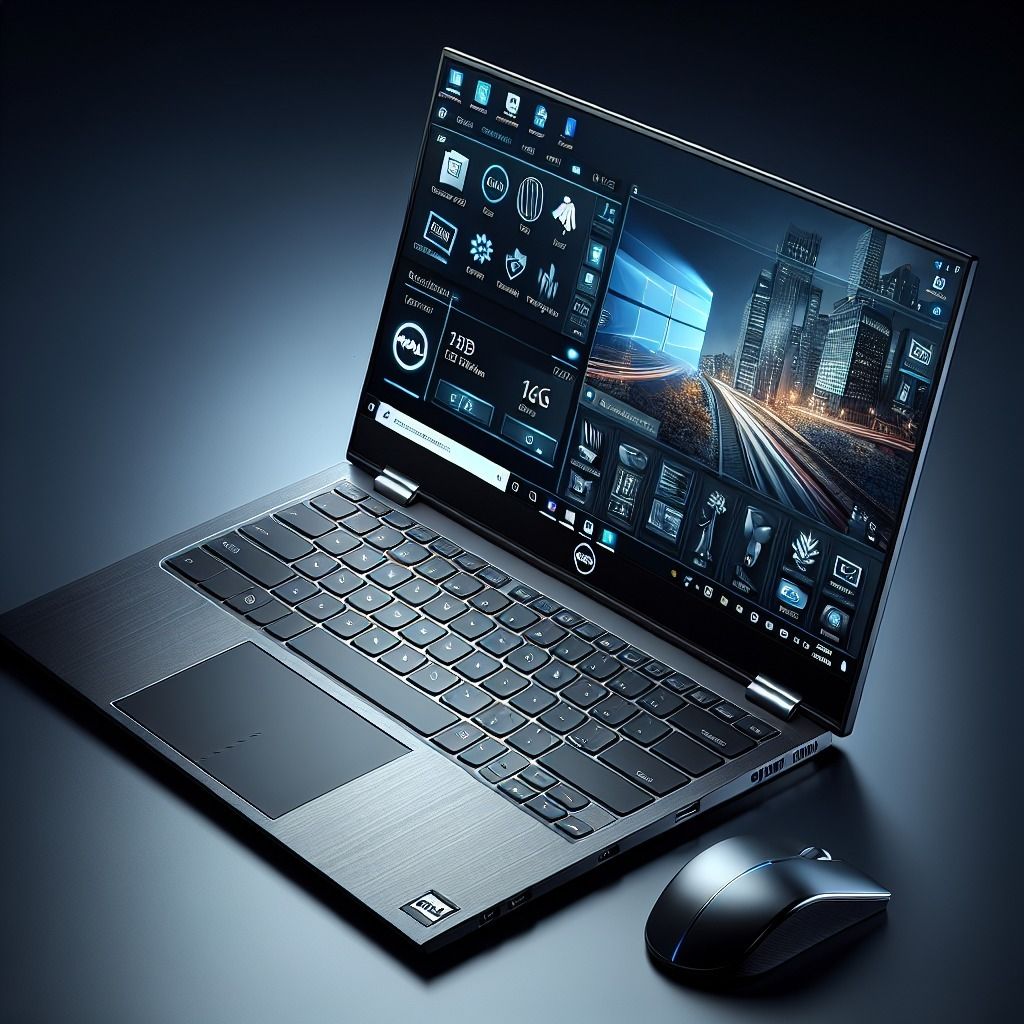
A laptop combines several important components, including a display, keyboard, touchpad, processor, memory, storage, battery, and wireless connectivity, into a single compact device. This makes it convenient for students, professionals, freelancers, business owners, and everyday users.
Today, laptops are available in different sizes, designs, and price ranges. Some models are designed for basic daily tasks, while others offer powerful performance for gaming, video editing, software development, and professional creative work.
At HIGH VOLTAGE, laptops are an important electronics category for customers looking for suitable computing devices for their personal, educational, and professional needs.
What Is a Laptop?
A laptop is a portable personal computer designed to perform many of the same tasks as a desktop computer. It usually includes a built-in screen, keyboard, touchpad, speakers, webcam, battery, and rechargeable power system.
Laptops can run operating systems such as Windows, macOS, and Linux, depending on the manufacturer and model. They support a wide range of software for word processing, spreadsheets, presentations, internet browsing, programming, photo editing, video production, and gaming.
Most modern laptops also support Wi-Fi, Bluetooth, USB connections, and external displays. Depending on the model, they may include USB-C, HDMI, an SD card reader, or other ports.
One of the biggest advantages of a laptop is portability. Users can carry their work, files, applications, and entertainment with them without needing a separate monitor or desktop tower.
Main Features of Laptops
1. Processor and Performance
The processor, also known as the CPU, is one of the most important components of a laptop. It performs calculations, manages instructions, and helps applications run smoothly.
Different laptops use processors designed for different purposes. Entry-level processors are suitable for browsing, online classes, document editing, and everyday tasks. Mid-range processors can handle heavier multitasking and more demanding applications. High-performance processors are designed for professional workloads, programming, content creation, and other intensive activities.
When choosing a laptop, consider the processor generation, performance class, power efficiency, and your intended workload instead of relying on the processor name alone.
2. RAM and Multitasking
RAM temporarily stores information that applications need while they are running. Having sufficient RAM can help a laptop manage multiple applications and browser tabs more comfortably.
For basic tasks, 8GB of RAM may be adequate. Many users who multitask regularly or use demanding applications may benefit from 16GB or more. Gaming, video editing, and professional creative work may require additional memory depending on the software.
Before buying, check whether the RAM is upgradeable or permanently soldered to the laptop’s motherboard.
3. Storage Capacity
Laptop storage is used to save the operating system, applications, documents, photos, videos, and other files.
Many modern laptops use solid-state drives (SSDs), which generally offer faster startup times and quicker file access than traditional hard disk drives (HDDs).
A 256GB SSD may be sufficient for basic use, while 512GB or 1TB can provide more space for applications, games, and personal files. Users who store large video files or extensive project data may need additional storage or an external drive.
Consider both storage capacity and speed when comparing laptop models.
4. Display Quality
The display affects how comfortable and enjoyable a laptop is to use. Laptop screens are available in different sizes, resolutions, brightness levels, and panel technologies.
A 13-inch or 14-inch laptop can be a good choice for portability. A 15-inch or 16-inch model may provide more room for multitasking, spreadsheets, creative applications, and entertainment.
Full HD resolution is suitable for many everyday users, while higher-resolution screens can offer additional detail. Some laptops also feature OLED displays, high refresh rates, touchscreens, or colour-accurate panels.
Choose a display according to your needs, such as reading, office work, gaming, photography, or video editing.
5. Battery Life
Battery life is an important consideration for people who work or study away from a power outlet. A laptop with good battery efficiency can make travel, meetings, and classes more convenient.
Actual battery life varies depending on the battery capacity, processor, screen brightness, software, network activity, and workload. Manufacturers’ battery-life estimates may differ from real-world results.
If portability is important, compare independent battery tests where available and consider the laptop’s weight and charging options.
6. Graphics and Visual Performance
Graphics processing is responsible for displaying images, videos, animations, and 3D content.
Many laptops use integrated graphics, which are suitable for everyday tasks, streaming, office applications, and some light creative work. Other models include dedicated graphics cards designed for demanding games, 3D modelling, animation, and GPU-accelerated creative applications.
Users who plan to play modern games or edit high-resolution video should compare graphics performance, available video memory, cooling, and power limits before buying.
7. Keyboard and Touchpad
The keyboard and touchpad directly affect daily comfort and productivity. A comfortable keyboard can make long typing sessions easier, while a responsive touchpad provides convenient navigation without a separate mouse.
Some laptops include backlit keyboards, numeric keypads, fingerprint readers, or larger touchpads. Business users, students, writers, and programmers should consider keyboard comfort when selecting a laptop.
8. Connectivity and Ports
Connectivity determines how easily a laptop can connect to the internet, accessories, external displays, and storage devices.
Common features include Wi-Fi, Bluetooth, USB-A, USB-C, and an audio jack. Some laptops also provide HDMI, Ethernet, Thunderbolt, or an SD card reader.
Before buying, check whether the laptop has the ports you need for your monitor, printer, external drive, projector, or other devices. Port availability varies by model.
Different Types of Laptops
1. Student Laptops
Student laptops are designed for studying, online classes, research, presentations, and everyday computing. They typically focus on affordability, portability, battery life, and sufficient performance for educational applications.
Students should look for a comfortable keyboard, a clear display, a reliable webcam, and enough RAM and storage for their coursework.
2. Business Laptops
Business laptops are designed for office productivity, communication, and professional work. Depending on the model, they may offer security features, durable construction, comfortable keyboards, and support for business management tools.
They can be useful for employees, entrepreneurs, consultants, and people who frequently travel for work.
3. Gaming Laptops
Gaming laptops are designed to run demanding games and other graphics-intensive applications. Many models include dedicated graphics, high-refresh-rate displays, advanced cooling systems, and powerful processors.
Gaming laptops can also be suitable for video editing, 3D design, animation, and other demanding tasks. However, they may be heavier, more expensive, and less energy-efficient than standard laptops.
4. Ultrabooks and Thin-and-Light Laptops
Thin-and-light laptops prioritize portability and convenient everyday use. They are often designed for professionals, students, travellers, and users who carry their computers frequently.
These laptops may feature lightweight materials, efficient processors, fast SSD storage, and long battery life. Their upgrade options and port selection can be more limited than those of larger models.
5. 2-in-1 Convertible Laptops
A 2-in-1 laptop can function as a traditional laptop and, on supported models, fold or transform into a tablet-style device.
Many include touchscreen displays and support for a compatible stylus. They can be useful for note-taking, drawing, presentations, and flexible working arrangements.
6. Creator and Workstation Laptops
Creator laptops are designed for tasks such as photo editing, video production, music creation, and graphic design. Professional workstation laptops may also support engineering, CAD, scientific computing, and complex 3D workloads.
Buyers should compare processor performance, graphics capabilities, RAM, display accuracy, cooling, and software compatibility.
Benefits of Using a Laptop
Laptops provide several advantages for personal and professional computing.
Portability: Their compact design makes it possible to work and study from different locations.
Productivity: Users can create documents, manage spreadsheets, prepare presentations, and communicate with colleagues.
Education: Laptops support online learning, research, digital textbooks, coding practice, and educational software.
Entertainment: Users can watch movies, listen to music, browse websites, and play compatible games.
Communication: Built-in webcams, microphones, and wireless connectivity support video meetings and online conversations.
Versatility: Different laptop configurations support everyday computing, business tasks, creative projects, and gaming.
Convenience: The built-in display, keyboard, touchpad, and battery reduce the need to carry separate computer components.
How to Choose the Best Laptop
Selecting the right laptop becomes easier when you compare its specifications with your requirements.
- Set your budget: Decide how much you want to spend before comparing models.
- Identify your main use: Consider whether the laptop is for study, office work, gaming, programming, or creative work.
- Compare processors: Choose a processor that can comfortably handle your applications.
- Check RAM: Select enough memory for your current workload and future needs.
- Choose storage: Compare SSD capacity and upgrade options.
- Evaluate the display: Consider screen size, resolution, brightness, refresh rate, and colour quality.
- Check battery performance: Look for realistic battery-life information and charging support.
- Consider portability: Compare weight, thickness, build quality, and charger size.
- Review connectivity: Make sure the available ports support your accessories.
- Check software compatibility: Confirm that your required applications run on the operating system.
- Review warranty and support: Understand warranty coverage and the availability of authorised service.
- Compare the total value: Look at specifications, build quality, software support, and warranty rather than price alone.
A well-chosen laptop can provide better value when its performance, features, and portability match the user’s daily needs.
Laptops for Students
Students often need laptops for assignments, presentations, research, online learning, and video meetings. An affordable laptop with a reliable processor, sufficient RAM, an SSD, and good battery life can meet many educational requirements.
Students studying programming, engineering, design, or video production may need more powerful hardware to run specialised software. Before purchasing, check the minimum and recommended specifications for the applications required by the course.
Portability and durability are also important for students who carry their laptops between home, classrooms, and libraries.
Laptops for Office and Business Work
Office and business users commonly rely on laptops for documents, spreadsheets, email, video conferencing, customer management, and financial applications.
A comfortable keyboard, clear webcam, stable wireless connectivity, sufficient memory, and dependable battery life can make everyday work easier.
Businesses may also need additional security features, device-management support, and compatibility with workplace applications. These requirements should be checked before selecting a laptop for professional use.
Laptops for Gaming and Content Creation
Gaming and content creation can place heavy demands on a laptop’s processor, graphics hardware, memory, and cooling system.
Gamers should compare graphics performance, display refresh rate, thermal behaviour, and game compatibility. Video editors and designers should also consider RAM, SSD capacity, display colour accuracy, and performance in their specific software.
A powerful laptop is not always the best choice for every user. Those who mainly browse the internet, attend online classes, or prepare documents may prefer a lighter and more affordable model.
Laptop Accessories
The right accessories can improve comfort, productivity, and protection.
Popular laptop accessories include:
- Wireless and wired mice
- Laptop bags and backpacks
- Cooling pads for compatible use cases
- USB hubs and docking stations
- External keyboards
- Laptop stands
- Headphones and headsets
- External SSDs and hard drives
- Webcams and microphones
- Compatible chargers and power adapters
Always check device compatibility before purchasing an accessory, especially for charging adapters, docking stations, and display connections.
Laptop Maintenance Tips
Regular maintenance can help keep a laptop reliable and comfortable to use.
- Install operating-system and security updates.
- Keep important files backed up.
- Use a suitable laptop bag when travelling.
- Keep air vents clear and avoid blocking the cooling system.
- Clean the screen and keyboard using manufacturer-recommended methods.
- Avoid exposing the laptop to liquids, excessive heat, or moisture.
- Use a compatible charger and inspect cables for damage.
- Remove unnecessary applications and maintain adequate free storage.
- Use strong passwords and appropriate security settings.
- Follow the manufacturer’s guidance for battery care and servicing.
If the laptop becomes unusually hot, noisy, or slow, investigate the cause instead of ignoring the problem.
The Future of Laptop Technology
Laptop technology continues to evolve through improvements in processors, graphics, displays, battery efficiency, connectivity, and artificial intelligence.
Newer models may provide more efficient performance, improved webcams, high-resolution displays, faster wireless connections, and AI-powered features. Some laptops also include specialised hardware for supported AI workloads.
As technology advances, buyers will have more options for balancing performance, portability, battery life, and price. Checking current specifications and software support can help customers make informed purchasing decisions.
Shop Laptops at HIGH VOLTAGE
HIGH VOLTAGE is building an electronics shopping experience for customers interested in modern technology and computing devices.
When choosing a laptop, compare the available models according to your budget, intended use, processor, RAM, storage, display, battery life, warranty, and software requirements.
Whether you need a laptop for school, office work, business, gaming, programming, or creative projects, understanding these features can help you choose a device that suits your needs.
Explore the Laptops category at HIGH VOLTAGE to compare products, review specifications, and discover computing devices for different purposes.
Conclusion
Laptops are versatile computing devices that support education, business, entertainment, communication, and creative work. With a wide selection of configurations and designs, customers can find models suited to different budgets and performance requirements.
Before making a purchase, compare the processor, RAM, storage, display, battery life, graphics, portability, and warranty. Choosing the right combination of features can help you enjoy a reliable and productive computing experience.
HIGH VOLTAGE — Power Your World.